
Storm Campaign Execution Playbook: Activation, Geo-Targeting And The 72-Hour Checklist
What to do, in what order, when a hail or wind event hits your market, so you can respond fast without overpromising or overbooking.
Strategy Lives Elsewhere. This Is The Operating Manual
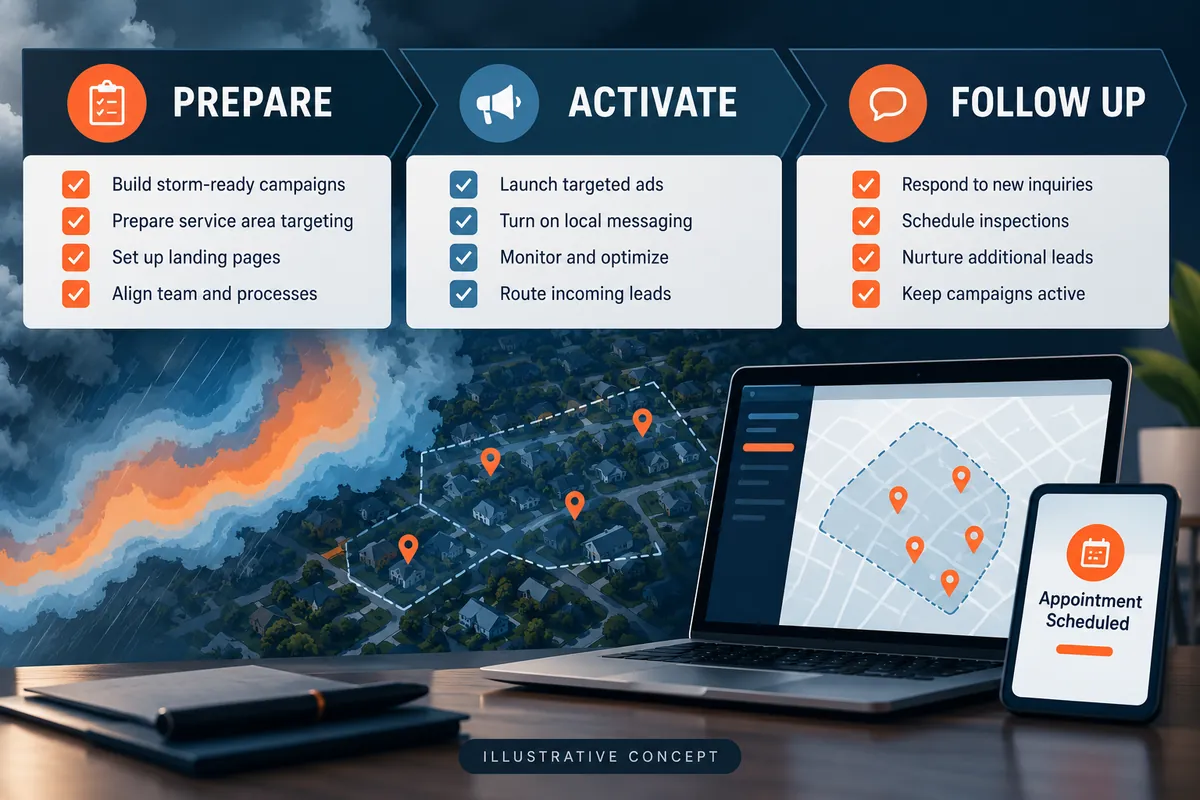
Our storm season marketing page explains the overall approach: prepare before the season, respond during the surge, follow up afterward. This playbook is the checklist you work from on the day. Use it to build your own written plan before the next event.
Exposure, Damage And Coverage Are Not The Same
Good storm marketing keeps these separate, in ads and on the phone:
| Concept | What it means | Who decides |
|---|---|---|
| Exposure | A storm passed over an area, based on reports | Weather data, not a roofer |
| Damage | A specific roof has damage | An inspection of that roof |
| Coverage | Insurance pays for some or all of the repair | The insurer, under the homeowner's policy |
Marketing should invite an inspection. It should not tell an uninspected homeowner their roof is damaged, or promise what insurance will pay. See roofing marketing strategies.
Readiness Checklist
Complete this in the quiet months. Each item should have an owner.
| Item | Question to answer |
|---|---|
| Accounts | Are ad accounts, billing and conversion tracking working and approved? |
| Budget authority | Who may raise ad budgets during an event, and by how much? |
| Landing pages | Is there an inspection-first storm page ready to publish, and an evergreen page that already exists? |
| Ad creative | Are storm ads written, approved and checked for claims? |
| Follow-up | Do instant response, routing and reminders work? See speed to lead |
| Capacity | How many inspections per day can you honestly handle, and who covers extra? |
| Call handling | Who answers evenings and weekends during a surge? |
| Legal and policy | Have you reviewed state rules on storm-related solicitation and insurance-related claims? |
Do Not Launch Until All Four Are True
- Event confirmed. You have reliable storm reports for your service area.
- Assets approved. Ads, pages and messages were pre-approved.
- Budget authorized. Someone with authority has set a spending cap.
- Capacity available. You have enough inspection slots to honor what the ads promise.
If capacity is the missing piece, activate a smaller response, such as search and existing-customer messages, instead of broad ads that will create a backlog you cannot serve.
How To Know An Event Happened
Use more than one signal and verify before spending:
- ✓Official storm reports from the National Weather Service and NOAA for your counties
- ✓Local news and emergency management announcements
- ✓Hail or wind data services, if you subscribe to one, used as an estimate of exposure
- ✓Your own phone: sudden calls from one area often come first
- ✓Your crews and customers reporting what they see
Set your own trigger rules in advance, such as "confirmed hail reports in our service area" and decide who makes the call. Remember that a data layer shows where a storm passed, not which roofs were damaged.
Time-Boxed Checklist
Adapt the timing to your team. The point is order and ownership.
| When | Do this |
|---|---|
| Hours 0 to 6 | Confirm the event and the affected areas. Check capacity and set a budget cap. Turn on missed-call text-back and instant acknowledgement. Alert whoever answers the phones. |
| Hours 6 to 24 | Publish the storm landing page and a website banner. Update your Google Business Profile with accurate information and a post. Raise Local Service Ads budget if you have capacity. Launch pre-approved search ads on inspection and damage searches. Send a message to existing customers and past leads who agreed to hear from you. |
| Hours 24 to 48 | Start geo-targeted social ads in the affected areas using inspection-first creative. Coordinate field outreach and mailers with the office so promised inspection slots are real. Review incoming calls and adjust screening. |
| Hours 48 to 72 | Review lead quality and booking numbers. Tighten targeting or lower budgets if the calendar is filling. Handle the first wave of follow-up. |
What Each Channel Does In A Storm
Used together, with the office calendar as the limiter.
Search ads and LSA
Capture people already searching for inspection or damage help. See PPC for roofers and LSA management.
Social ads
Reach homeowners in affected areas who are not searching yet. Targeting options vary by account. See Facebook ads for roofing.
Owned channels
Website banner, Google Business Profile, email and text to opted-in customers, and reviews. Free, fast and trusted.
Field and print
Door hangers, mailers and in-person outreach, coordinated with the office. Follow state and local solicitation rules.
Check your storm plan
We will walk through your readiness checklist and activation gate.
Say This, Not That
Keep claims accurate and let the inspection speak.
| Prefer | Avoid |
|---|---|
| "Hail was reported in our area. We offer free roof inspections." | "Your roof was damaged in last night's storm." |
| "We document what we find and explain your options." | "We will get your roof paid for by insurance." |
| "Your insurer decides coverage. We can provide an inspection report you can share." | "Guaranteed claim approval" or promises about deductibles |
| "Limited inspection slots this week." (only if true) | Fake countdowns or invented scarcity |
Rules about insurance-related marketing vary by state, so have your messages reviewed. See compliant insurance restoration marketing.
Protect Your Crews And Your Reputation
- ✓Triage: active leaks and tarping first, planned inspections after
- ✓Cap daily inspection slots to what estimators can actually do
- ✓Tell people the real wait time, and use a waitlist rather than promising impossible dates
- ✓Lower or pause ad budgets as the calendar fills
- ✓Keep the review request and follow-up running so quality stays high
Unhappy homeowners waiting weeks for a callback do more damage than missed leads.
Keep The Momentum Without Burning Out
After the initial surge, shift to steady follow-up:
| Focus | Actions |
|---|---|
| Estimates | Send estimates promptly and follow up. See estimate follow-up. |
| Documentation | Share clear inspection photos and reports with homeowners |
| Reviews | Request honest reviews as jobs complete |
| Remarketing | Show reviews and project photos to people who visited but did not book |
| Budget | Re-set ad budgets to match calendar and capacity |
Debrief And Turn One Storm Into Lasting Value
- ✓Hold a short debrief: what worked, what broke, what you would change
- ✓Tag every lead and customer from the event in your CRM so you can reach them later, with consent
- ✓Ask satisfied customers for referrals and honest reviews
- ✓Update the readiness checklist with what you learned
- ✓Record costs and results by stage so next time you can plan from your own data
What To Track During And After An Event
Review by day and by channel:
| Measure | Why |
|---|---|
| Inquiries and accepted leads per day | Shows demand and lead quality |
| Time to first response | Shows whether you are keeping up |
| Inspections booked and held | Shows real capacity use |
| Estimates and signed contracts | Shows conversion |
| Cost per booked inspection by channel | Shows where spend is working |
What Goes Wrong Most Often
- ✓Launching ads before capacity exists
- ✓Claiming damage or insurance outcomes in ads
- ✓No one assigned to answer calls in the evening
- ✓Broad targeting that creates unqualified inquiries
- ✓Forgetting to lower budgets when the calendar is full
- ✓Skipping the debrief, so the next event repeats the same problems
Who Owns What During An Event
Assign names before the season, not during the storm.
| Role | Responsibility |
|---|---|
| Decision maker | Confirms the event, approves the budget cap, pauses or ends the response |
| Office lead | Answers calls, books inspections, owns the calendar and the waitlist |
| Field lead | Sets daily inspection capacity, handles emergency tarping and triage |
| Marketing owner | Publishes pages, launches ads, adjusts budgets, watches lead quality |
| Reviews and follow-up owner | Sends estimates, review requests and customer updates |
In a small company one person may hold several roles. What matters is that every task has an owner and a backup.
What The Storm Page Should Contain
A storm page is an inspection-booking page, not an essay about weather. It should be ready before the season so you only edit the details.
- ✓A plain headline about free roof inspections after severe weather in your service area, without claiming that any specific roof is damaged
- ✓A short form and a visible phone number, with call and form tracking attached
- ✓A simple explanation of what an inspection includes and what the homeowner receives afterward
- ✓Honest availability: current wait time and how emergency leaks are handled
- ✓Your license, insurance and review proof, kept accurate and current
- ✓Clear wording that the insurer decides coverage, and that you will not make promises about claim outcomes
- ✓Links to your main roofing pages so the visit can continue if the person is not ready to book
Publish it as a temporary page or section, and take it down or update it once the surge passes so visitors do not read about a storm from months ago.
A Hypothetical First Day, Hour By Hour
This is an invented example to show sequencing. Your times will differ.
| Time | Action | Owner |
|---|---|---|
| 7:00 | Owner sees hail reports for two counties in the service area and calls the activation meeting | Decision maker |
| 7:30 | Capacity check: two estimators can do about eight inspections per day, so slots are capped at that number | Field lead |
| 8:00 | Budget cap approved for the first week; missed-call text-back and instant acknowledgement confirmed on | Decision maker, marketing owner |
| 9:00 | Storm page and website banner published; Business Profile updated | Marketing owner |
| 10:00 | Pre-approved search ads switched on for the affected towns | Marketing owner |
| 11:00 | Message to opted-in past customers and open estimates | Reviews and follow-up owner |
| Afternoon | First inquiries answered within minutes; calendar filled; waitlist opened for overflow | Office lead |
| Evening | Quality check of the day's leads; adjust targeting; decide tomorrow's caps | Marketing owner |
Targeting Without Overclaiming
Paid platforms let you target by location, and some let you exclude areas, but there are limits to know:
- ✓Radius and city targeting show your ads to people in or near an area, which is not the same as people whose roofs were hit
- ✓Storm data layers are estimates of exposure and should guide where you advertise, not what you claim
- ✓Exclude areas outside your real service area so you do not pay for inquiries you cannot serve
- ✓Review location reports after a few days and drop places that produce unusable leads
- ✓Platform rules and options change, so check current policies for your ad accounts before an event
Keeping Lead Quality Up During A Surge
Surges attract a mix of real inspection requests, curiosity and people outside your area. Screen politely and consistently:
| Check | Why it matters |
|---|---|
| Address is inside the service area | Avoids wasting inspection slots |
| Homeowner or decision maker | Avoids visits that cannot lead to a contract |
| Reason for contact: leak, visible damage, worry, insurance question | Sets priority and tone |
| Existing claim or adjuster involved | Lets the estimator prepare the right documentation |
| Roof age and type, if known | Helps plan the visit |
Record the answers in your CRM so that lead quality can be reviewed by channel. See CRM automation.
Related Guides From The Blog
- Hail Season Checklist for a Roofing BusinessA pre-season checklist for roofing companies in hail-prone markets: marketing, phones, crews, materials, legal and finance preparation, with timing, owners and a short review after each event.
- Handling a Storm Lead Surge Without Overbooking Your CrewsHow roofing companies can manage a storm lead surge: setting inspection capacity, triage rules, waitlists, honest scheduling messages, adjusting ad spend, subcontractor options and protecting reviews.
- Marketing Insurance Roof Work: What Roofers Can and Cannot SayPractical messaging guidance for roofers marketing storm and insurance-related work: safer claims, risky phrases, deductible cautions, ad and landing page examples, phone scripts and review habits. Not legal advice.
Frequently Asked Questions
How fast should we launch after a storm?
As soon as the activation gate is met: confirmed event, approved assets, authorized budget and available capacity. Speed matters, but not at the cost of overbooking.
Can we target exactly the damaged roofs?
No. Data shows storm exposure by area, not damage to individual roofs. Ads should invite inspections.
Should we door-knock too?
It can work alongside digital, but follow state and local rules and coordinate with the office so slots are real.
What if we are already booked out?
Hold back paid activation, tell people the true wait, and use a waitlist. Focus on existing customers and quality over volume.
Do we need legal review of storm ads?
Rules on insurance-related marketing vary by state, so review your messages. We are not a law firm.
How do we budget for storms?
Plan a storm reserve you are willing to spend only if the gate is met. See our budget guide.
Get A Free Storm Readiness Review
We will review your readiness checklist, activation gate and messaging, and show what to prepare before the next event.
- ✓Readiness checklist review
- ✓Activation gate and capacity plan
- ✓No obligation