Stop Guessing Your ROI:
Closed-Loop Marketing Attribution
Stop paying for "clicks" and "leads" that don't convert. Our attribution setup connects your ad campaigns to booked inspections and signed contracts in your CRM.
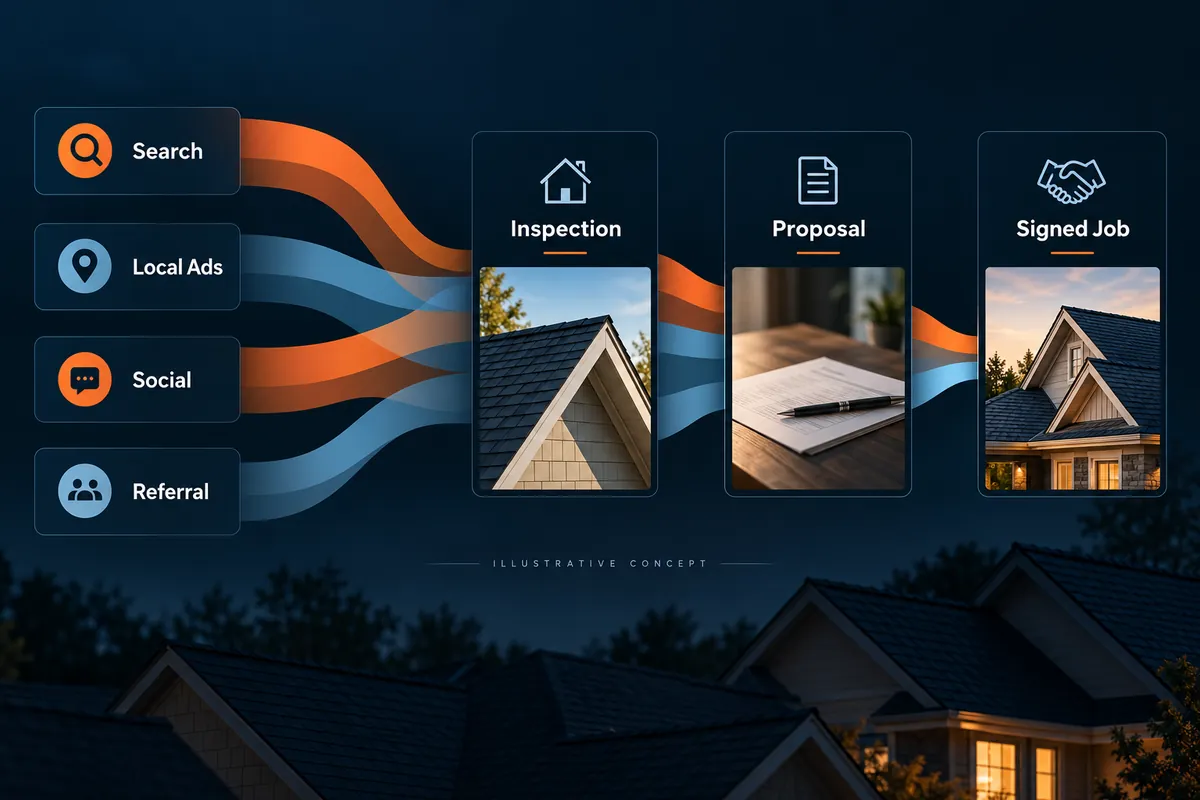
See which campaigns, storm-zone efforts and ad creative produced booked inspections and signed contracts, wherever the ad platform and your CRM data allow. Make budget decisions on contracted jobs instead of lead counts.
Tracked
Calls and forms
Matched
Leads to CRM records
Measured
Inspection to signed to paid
The Blindspot
Why Traditional Agency Reports Are Worthless to a Roofing Business Owner
Typical marketing agencies hand you a monthly report packed with vanity metrics: impressions, clicks, bounce rates, and "leads". But to a contractor, a "lead" can be anything: a homeowner asking for a $200 gutter repair, a wrong number, out-of-territory searchers, or spam.
If your agency claims they generated 100 leads at $25 each, but you closed $0 in contracted work, your true cost is $2,500 in wasted ads plus your sales team's lost time. Standard tools like Google Analytics lose track the moment a lead picks up the phone or goes offline.
"Optimizing ad spend based purely on lead volume teaches ad networks to find cheap, low-intent form-fills. Optimizing for contracted jobs forces ad networks to target high-intent property owners who need full replacements."
We believe in complete transparency. We sync your actual closed revenue data back to the ad networks to bid on jobs, not clicks.
The Old Agency Model (Cost-Per-Lead)
They optimize campaigns for the lowest cost-per-lead. This results in:
- Spam form-submissions and bot calls
- Low-margin gutter repairs & patch-ups
- Zero visibility on which ad creative generated actual cash
- Wasted budget bidding on unprofitable search terms
The Closed-Loop Model (Cost-Per-Contract)
We sync ad parameters with CRM status changes. This results in:
- Optimization focused on signed contracts & replacements
- Attributing contract value to the campaign, ad and, where the platform provides it, the search term
- Pushing won job data back to Google & Meta via Offline APIs
- Reallocating ad spend to high-value zip codes and storm events
The 4-Step Closed-Loop Sync
How we link online clicks to offline contractor revenue.
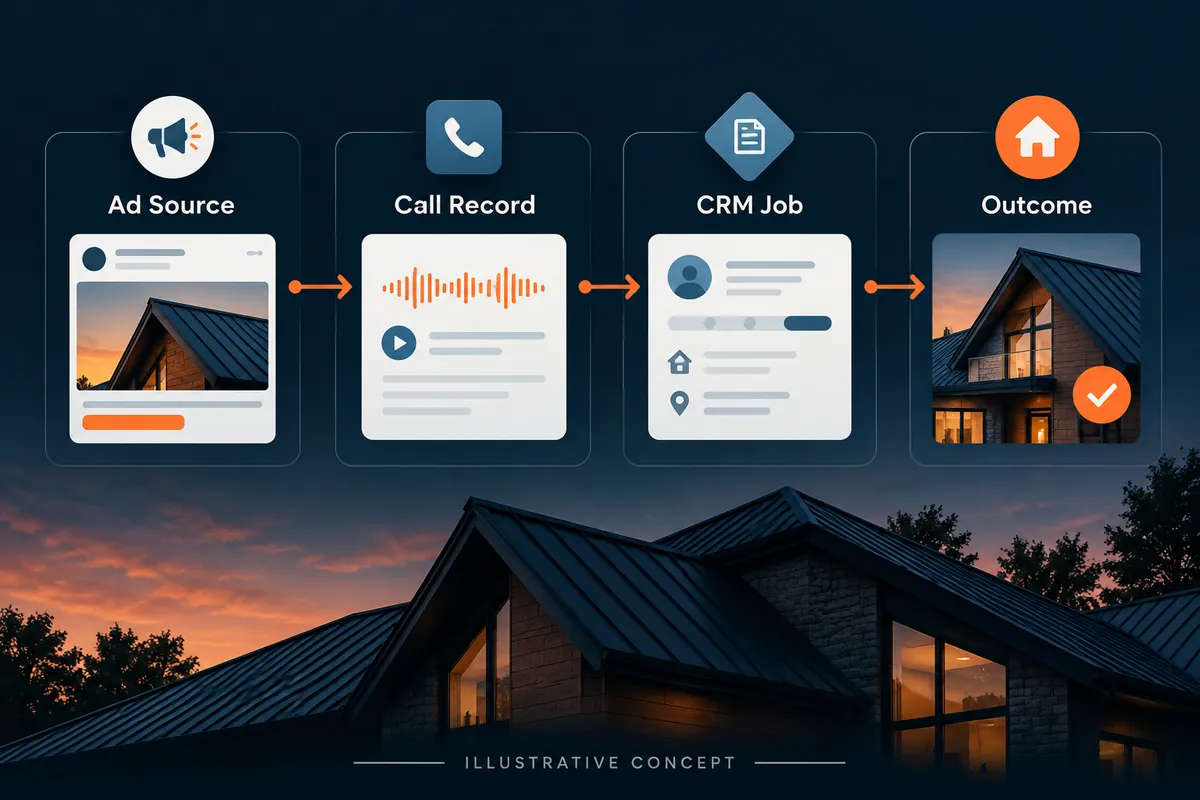
Dynamic UTM stamping
When a homeowner clicks your Google or Meta ad, we stamp their session with tracking IDs (GCLID/FBCLID) and UTM parameters that identify the source.
Instant lead injection
The lead completes a form or calls. R-ROS captures the contact details, binds the session metadata and feeds it to your staff right away.
CRM deal mapping
The lead is pushed to your CRM. As your team moves the deal through stages such as Inspection Scheduled and Contract Signed, we capture each stage change.
Conversions API feedback
Our engine can send offline outcomes back to Google and Meta so their systems learn from results beyond the form fill. We choose the stage to optimize with you.
Check your tracking chain
We will review how leads move from ad click to CRM stage, and where data gets lost.
Calculate Your Roof Replacement Ad Campaign ROI
Use this calculator to see how budget, cost per lead and close rate combine: budget / cost per lead = leads; leads x close rate = signed jobs; jobs x job value = revenue. The default inputs are illustrative assumptions, not benchmarks or a forecast, and revenue per ad dollar is not profit.
Estimate revenue from average roof replacement values
See how a change in lead-to-contract close rate changes the result
Test how different cost-per-lead and close-rate assumptions change the result
Est. Leads
66.7
Signed Jobs
6.7
Est. Revenue
$100,000
Revenue per ad $
20.0x
How CRM Job Stages Become Advertising Conversion Signals
Attribution is only as good as the outcomes defined in your CRM. We agree these stages with you and report on each separately:
| Stage | What it means | Used for |
|---|---|---|
| Inquiry | A call, form or message from a tracked source | Source reporting |
| Booked inspection | An appointment on the calendar | Cost per booked inspection |
| Signed contract | An accepted estimate, with value | Cost per contract; revenue return |
| Invoiced and collected | Billed amount, after changes and cancellations | Cash reporting |
| Cancelled or adjusted | Contracts reduced or cancelled | Corrects revenue figures |
Revenue return is not profit. Revenue per ad dollar (ROAS) ignores job cost. Profit return needs your gross margin, which we model with you.
Repeat and multi-channel journeys
A customer may call, return to the site and then call again from a different ad. We apply one agreed attribution rule, deduplicate contacts, and keep an honest "unmatched" bucket for records we cannot trace instead of forcing a match.
What we need from you
Access to your ad accounts, call tracking and CRM; stable pipeline stages; someone who updates deal outcomes and values; and a test period where we reconcile reports against your own records.
A connected integration cannot repair missing statuses or values by itself. Without those inputs, reports will have gaps and we will say so. Related: CRM automation, PPC for roofers and Facebook ads.
How Each Lead Source Gets Tracked
No single method tracks everything. We combine several and say plainly where gaps remain.
| Source | How it is tracked | Known limits |
|---|---|---|
| Google search ads | Click ID and UTM parameters stored on the form submission; tracked call numbers; outcomes can be sent back to Google as offline conversions where eligible | Click data is lost if a visitor blocks tracking or switches devices |
| Google Local Service Ads | LSA reports, call and message records, matched to your CRM by phone number and time | LSA does not give the same click-level data as search ads, so matching is by contact details |
| Google Business Profile | Profile call and website-click reports, tracked numbers and links with UTM tags | Profile data is limited and Google has changed available features over time |
| Facebook and Instagram ads | Lead forms or landing page forms with UTM and click ID; outcomes can be sent back through Meta's Conversions API where set up | Targeting and tracking options depend on platform policy and consent |
| Organic search | Analytics landing page and source, plus form and call tracking | Some visits cannot be tied to a single channel |
| Referrals and repeat customers | A required "how did you hear about us" field on every lead | Relies on honest answers and consistent data entry |
Platform features and policies change, so we check current documentation when we build or audit a setup.
What Attribution Cannot Tell You
- ✓A share of calls and visits can never be traced to a source; a good report states the unmatched share instead of hiding it
- ✓People often see several touchpoints before calling, so credit is a model, not a fact. We report first-touch and last-touch views and explain which one a decision should rely on
- ✓Word of mouth and brand awareness show up as direct, referral or organic traffic, and are undercounted by click-based tracking
- ✓Privacy settings, ad blockers and consent choices remove some data, and we respect them
- ✓Short test periods give noisy results, especially for contracts that close weeks later
The aim is a number you can make decisions with, not a perfect one. See how to tell if your roofing marketing is working.
Why We Add A Simple Question To Every Lead
Click data tells you what a visitor touched. Asking "How did you hear about us?" tells you what they remember. The two together catch cases like a homeowner who saw a truck, searched your name and then called through an ad. We add a required source field in your CRM and a short question your team asks on the first call, then compare it with the tracked source in the monthly review. When they disagree, that is useful information, not an error.
What Your Monthly Report Contains
One page the owner can read in five minutes, with detail behind it.
| Section | What it shows |
|---|---|
| Pipeline by source | Inquiries, accepted leads, booked inspections, estimates and signed contracts for each channel |
| Cost by stage | Spend divided by each stage, so cost per booked inspection and per signed contract are visible |
| Speed and quality | Time to first response, missed calls and reasons leads were not accepted or were lost |
| Unmatched share | How much activity could not be attributed, so you know the margin of error |
| Changes and next steps | What we changed, what happened, and what we recommend next month |
Definitions of each stage are in our guide to what counts as a roofing lead, and the build is described in closed-loop attribution setup.
What Your Team Has To Do For The Numbers To Be True
- ✓Update the pipeline stage and the reason lost on every lead, the same day
- ✓Ask and record how the customer heard about you
- ✓Enter estimate and contract values
- ✓Tell us when phone numbers, forms or pricing offers change
- ✓Review the monthly report with us
Most attribution problems are data-entry problems, not technology problems. We build reminders and required fields to make the right habit the easy one.
Consent And Data Handling
Call recording, cookies, texting and sending customer data to ad platforms are regulated, and rules differ by state and country. We configure notices and consent options, store only what is needed and give you access to your data. Please have your own legal adviser review your policies; we are not a law firm. See our privacy policy.
From Report To Decision
Once cost per booked inspection and per signed contract are visible by channel, decisions get simpler: scale what is under target and has room in your calendar, fix what has healthy lead quality but high cost, reduce what is both expensive and poor quality. Our budget planning guide shows how to turn those numbers into a monthly plan, and what drives roofing lead cost explains why the same spend can give very different results.
Related Guides From The Blog
- What Counts as a Roofing Lead? Inquiry, Accepted Lead, Inspection and ContractA four-stage definition of a roofing lead: inquiry, accepted lead, booked inspection and signed contract, why each matters, how to record them in a CRM and how to use the definitions in reports and agency agreements.
- How to Tell if Your Roofing Marketing Is WorkingA practical way for roofing owners to judge marketing results: metrics that matter, what to ignore, a monthly review routine, red flags, how long to wait, and how to read an agency report.
Frequently Asked Questions
Which CRM platforms are supported?
How do you track phone calls back to ad campaigns?
Is this different from Google Analytics 4?
How long does deployment take?
Ready to Connect Clicks to Contracts?
Schedule a 1-on-1 strategy call. We'll audit your current lead-routing and CRM setup, showing you how to close the data gap and track your marketing spend down to exact contracts.